
01
Re-caption short-form videos
Remove the auto-captions or styled captions you baked into a TikTok, Reels, or Shorts edit, then add new captions in a different font, color, or position.
Erase burned-in captions without blur, crop, or a black bar
This caption remover finds captions burned into your video and paints them out frame by frame, rebuilding the scene behind each line from neighboring frames. Use it as an AI captions remover for auto-captions, CapCut-style word-by-word text, translated subtitles, and on-screen titles.
Interactive preview


MP4, MOV, MKV, WebM, M4V or AVI · up to 1 GB · up to 2K
Settings
What to remove
Which mode should you use?
Auto
Detects and erases subtitles in the lower 50% of the frame. Cheapest and fastest, but the cleaned area can soften on a busy background.
Box select
Rebuilds the background texture behind the text, so the cleaned area keeps its detail. Draw the region yourself to reach watermarks, logos, or titles anywhere in the frame.
Every task is also saved in your Studio history
A caption remover is a tool that erases captions burned into a video's picture and reconstructs the pixels behind them. Unlike switching off a caption track, it works on open captions that are part of every frame, so the clean video can be re-captioned, translated, or reposted without the old text.
At a glance
The most common reasons to clean burned-in captions off footage you own.
Remove the auto-captions or styled captions you baked into a TikTok, Reels, or Shorts edit, then add new captions in a different font, color, or position.
Erase the original-language captions so a translation can go on cleanly, either burned in again or as a separate, editable subtitle track.
When a burned-in caption has a typo, wrong timing, or outdated text and the project file is gone, clear the captions and caption the video again.
Turn captioned clips into clean B-roll for ads, compilations, or new edits without cropping off the bottom of the frame.
Auto finds and clears ordinary bottom captions for 1 credit per second, Box select reaches captions anywhere in the frame, billing follows the real clip length, and your files are deleted after 30 days.
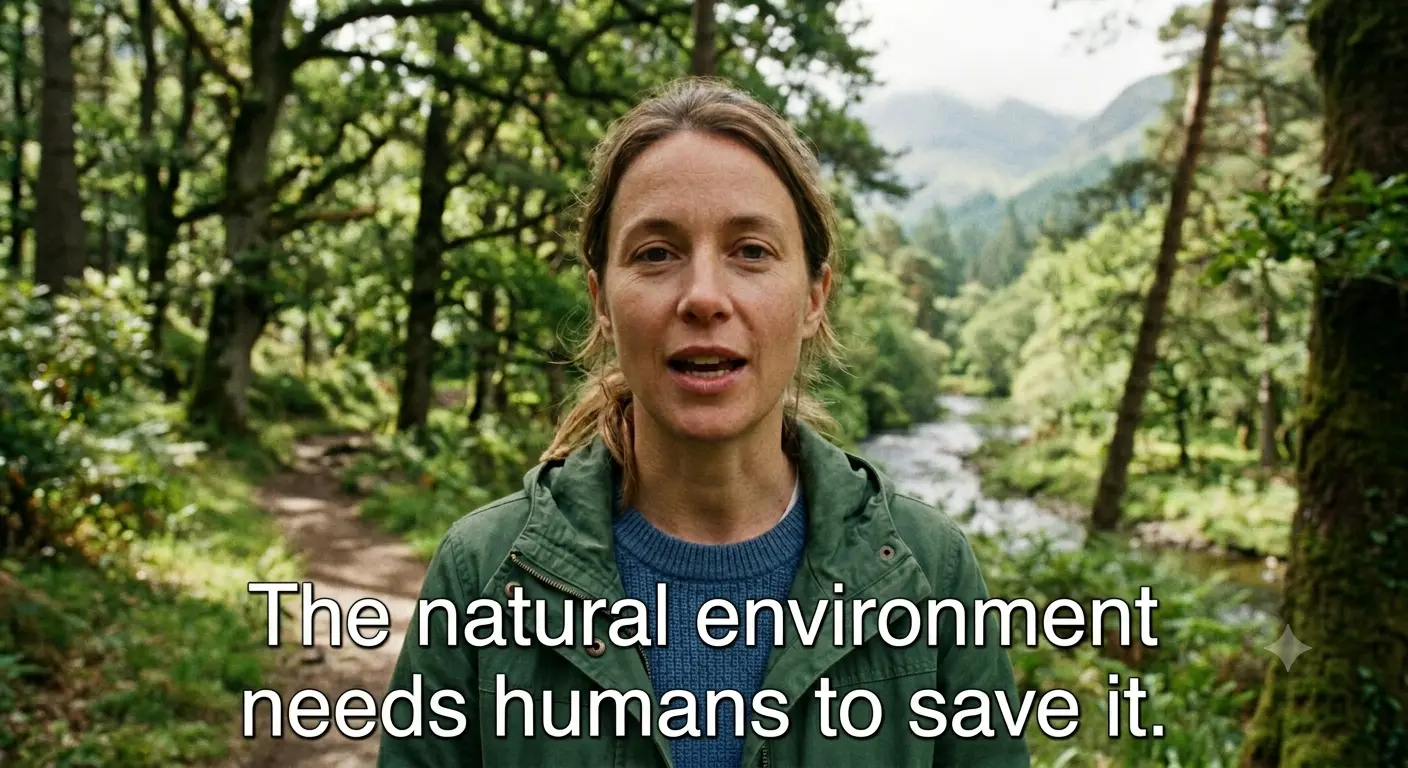

01
The model reads the frames before and after each caption and reconstructs the motion, texture, and lighting behind the text. Outlined, shadowed, and boxed captions come off without leaving a blurred band or a black bar.
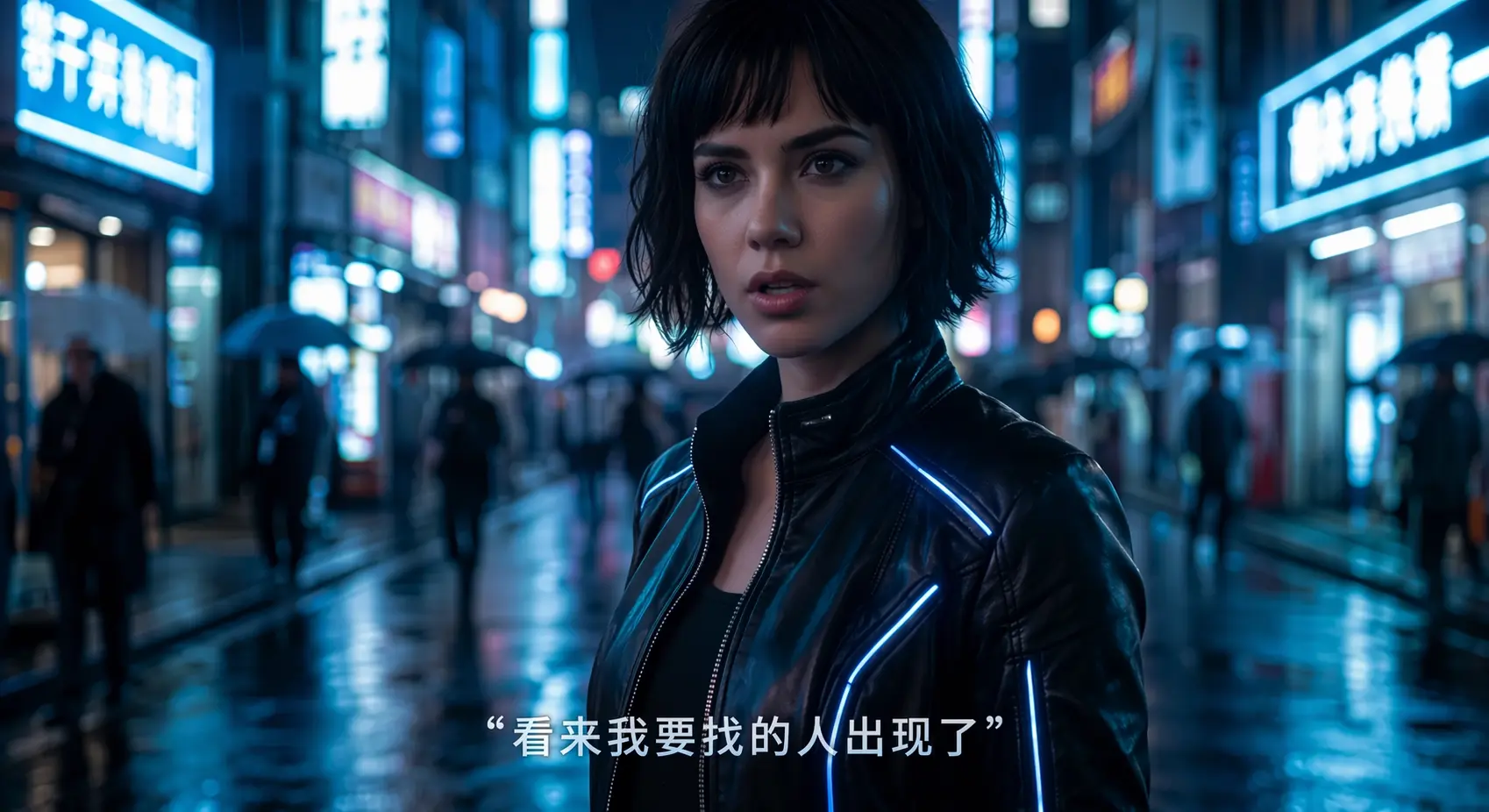

02
Auto caption removal is billed at 1 credit per second of actual video and never rounded up to a full minute. Uploads of up to 1 GB and 2K are kept for 30 days so you can download the result, then deleted — and never used for training.
What decides which mode to use, whether the result will be clean, and when you should not remove captions at all.
If the captions can be switched off in your player or editor, they are closed captions on a separate track — delete that track instead; no AI is needed. A caption remover is for open captions that are part of the picture.
Auto finds ordinary captions in the lower half of the frame on its own. Captions placed in the middle or top of a vertical video, titles, and animated word-by-word text are better handled with Box select: draw a box over the area they occupy.
Temporal inpainting rebuilds the covered area from neighboring frames. Blur, cropping, mosaic, or a solid bar only hide the captions, and the patch stays visible.
Only remove captions from videos you own or are authorized to edit. Removing captions does not give you the right to reuse someone else's footage.
Choose an MP4, MOV, MKV or WebM file up to 1 GB and 2K resolution. The workspace reads the duration and dimensions in your browser before anything is uploaded.
Auto is on by default and finds captions in the lower half of the frame. If your captions sit higher, move around, or are animated word by word, switch to Box select and drag a box slightly larger than the area they cover.
The model analyzes the frames before and after each caption, removes the text, and reconstructs what was behind it.
Compare before and after, paying attention to fast motion or faces passing under the captions, then download the clean MP4.
Many caption removal services bill each started minute as a complete minute. Subtitle Remover uses the video's actual duration in seconds — a good fit for short clips, where per-minute rounding wastes the most.
Billing unit
Subtitle RemoverActual video seconds
Typical per-minute providersEach started minute
15-second Short
Subtitle Remover15 credits with Auto
Typical per-minute providersBilled as 1 full minute — 45 unused seconds
75-second Reel
Subtitle Remover75 credits with Auto
Typical per-minute providersBilled as 2 full minutes — 45 unused seconds
Read the guide: remove subtitles with automatic text detection →
Upload a clip, keep Auto or box the captions, and download a clean version once processing finishes (usually 12–20 minutes).
By the Subtitle Remover team ·