Subtitle Remover is an AI tool that erases hard-coded (burned-in) subtitles, captions, watermarks and on-screen text from any video. Instead of covering the text with a blur or a black bar, it reconstructs what was actually behind it, frame by frame, so you get genuinely clean footage.
How it works
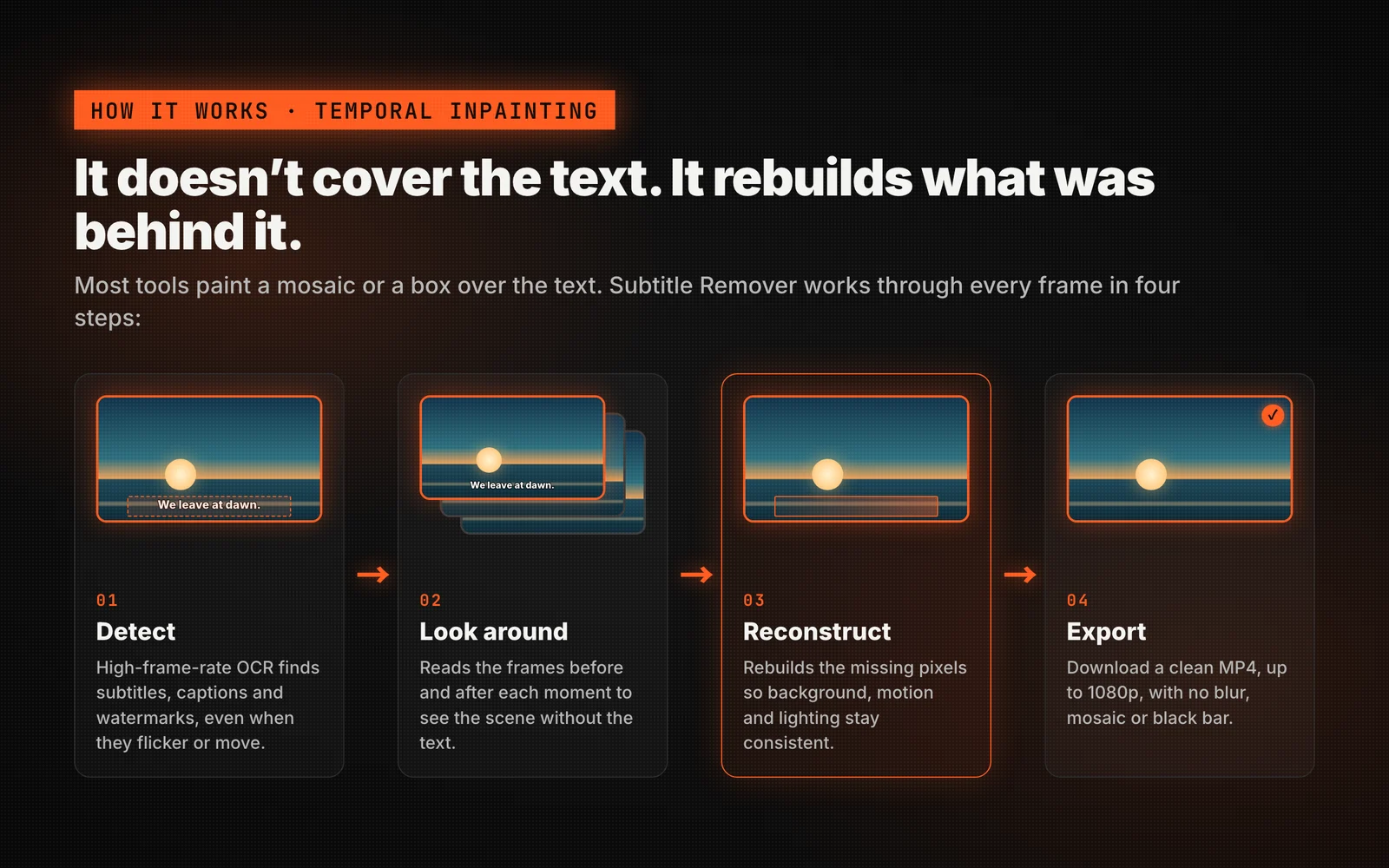
Most "subtitle removers" simply paint a mosaic or a solid box over the text. Subtitle Remover takes a different approach built around a temporal inpainting model:
- Detect — High-frame-rate OCR scans the video to precisely locate subtitles, captions and watermarks, even when they flicker or change position.
- Look around — The model reads the frames before and after each moment to understand what the scene looked like without the text.
- Reconstruct — It rebuilds the missing pixels behind the subtitles, so the background, motion and lighting stay consistent.
- Export — You download a clean MP4, up to 1080p, with no blur, mosaic or black bar.
What it can remove
- Burned-in Chinese / English subtitles and bilingual captions
- Channel logos, watermarks and brand bugs
- On-screen text, titles and captions baked into the video
- Hard-coded captions in short dramas, lectures and reposts
Two modes
| Mode | Best for | How it works |
|---|---|---|
| Standard | Bottom subtitles and captions | OCR auto-detects and erases subtitles for you |
| Pro | Watermarks, logos, custom regions | You draw boxes for surgical, manual control |
Why creators choose it
- No blur, no black bar — real pixel reconstruction instead of a fuzzy patch.
- Auto-detect or manual boxes — let OCR find the captions, or draw regions yourself.
- Up to 1080p output — source up to 2K and export a clean 1080p MP4. Processing runs in the background; a typical clip takes about 12–20 minutes.
- Honest pricing — pay per second of video by mode, buy credits as packs or subscribe. One-time credit packs are valid for 1 year and never renew; monthly and yearly plans renew automatically until you cancel in Settings → Billing.
- Your video stays yours — source and output files auto-delete after 30 days, and we never train on your content.
Get started
Head to the Studio, upload a clip, pick Standard or Pro, and let Subtitle Remover do the rest. Your first clean video is just a few clicks away.